What Are Embeddable Widgets?
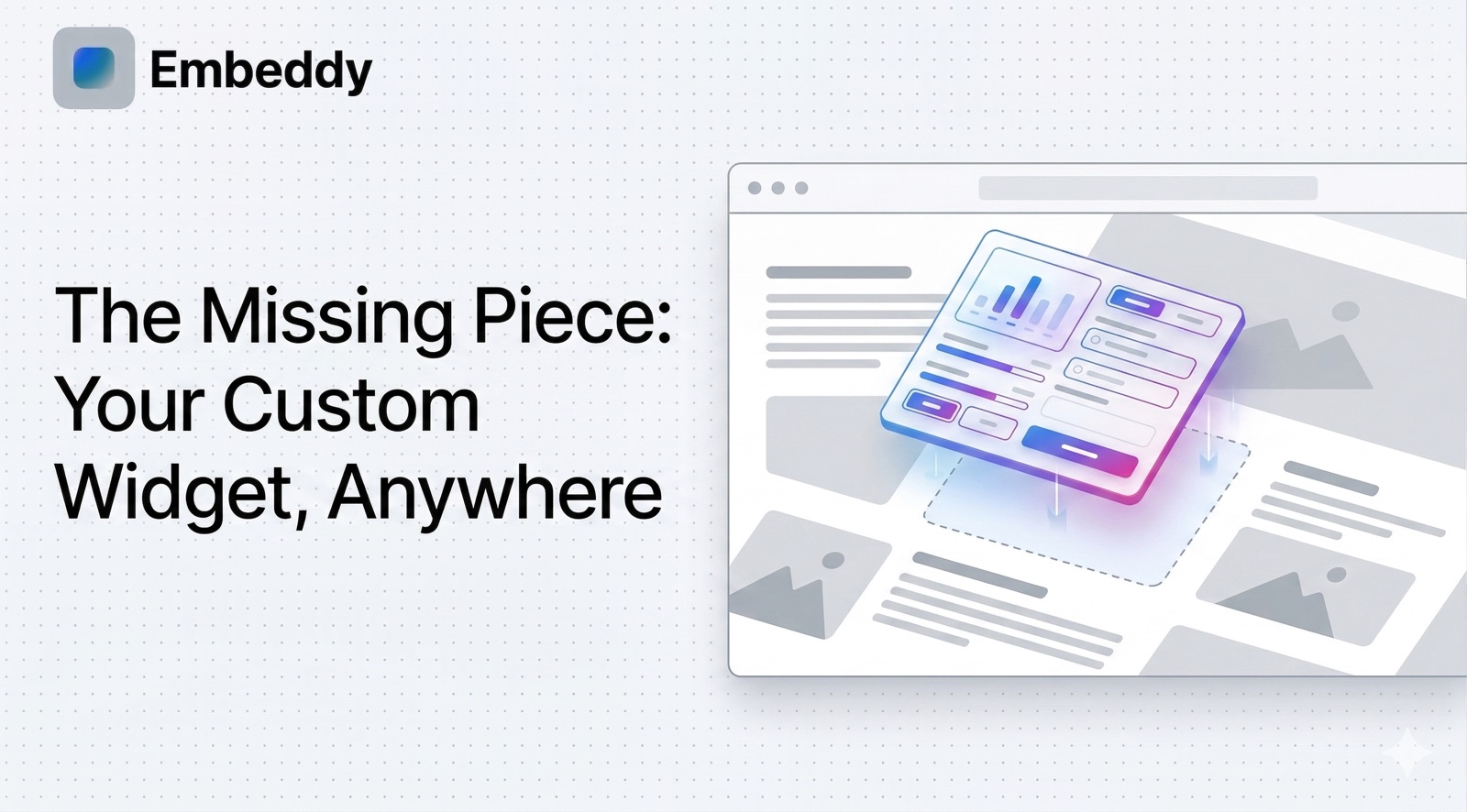
An embeddable widget is a self-contained piece of software designed to be inserted into a website, application, or digital platform. Unlike standalone applications that users visit directly, embeddable widgets live inside other environments, providing specific functionality without the host needing to build that feature from scratch.
Think of embeddable widgets like apps within apps. A chat widget on a support page, a booking calendar on a restaurant site, a payment form in an online store, or an interactive calculator in a blog post -- these are all examples of web widgets that are embedded into host platforms to extend their functionality.
The term "embeddable" is key: it means the widget can be dropped into virtually any digital context using a snippet of code, usually an iframe tag, a script tag, or a web component. The host site does not need to understand the widget's internal logic. It just works.
Definition
Embeddable widget (noun): A portable, self-contained web application that is designed to be inserted into a third-party website or platform via embed code. Embeddable widgets run independently of the host environment while appearing as a native part of the page. Also referred to as web widgets, embedded components, or embeddable web components.
Embeddable widgets have become fundamental building blocks of the modern web. From the YouTube player you embed in a blog post to the Stripe payment form in a checkout flow, widgets power critical functionality across millions of websites. In 2026, the rise of AI-powered creation tools has made building custom embeddable widgets accessible to anyone -- not just developers.
How Embeddable Widgets Work
Understanding how embeddable widgets work starts with the three layers that make them function: the embed mechanism, the frontend interface, and the backend infrastructure.
The Embed Mechanism
When you embed a widget on your website, you place a small code snippet into your HTML. This snippet acts as a gateway. It tells the browser to load the widget's code from an external server and render it inside a designated area on the page. There are three primary embed techniques:
- Iframe embeds: The widget loads inside an
<iframe>element -- essentially a window into a separate HTML page. This creates strong isolation between the widget and host page. - JavaScript embeds: A
<script>tag injects the widget's code directly into the host page's DOM, allowing tighter integration and seamless styling. - Web component embeds: Custom HTML elements using the Web Components standard with Shadow DOM for encapsulation, offering the best of both worlds.
Frontend Interface
The frontend is what the user sees and interacts with. Modern embeddable web components use HTML, CSS, and JavaScript (frequently built with frameworks like React, Vue, or Svelte) to render responsive, interactive interfaces. A well-designed widget adapts to the container it is placed in, adjusting its width, height, and layout dynamically.
Backend Infrastructure
Behind many embeddable widgets is a backend server that handles data storage, authentication, API calls, payment processing, and business logic. When a user interacts with a chat widget, for instance, the messages are sent to and from a backend server in real time. This is what separates a true fullstack embeddable widget from a simple static HTML snippet.
Platforms like Embeddy.ai handle the entire stack automatically. When you create a widget on Embeddy, the platform provisions a database, sets up API endpoints, generates the frontend, and produces an embed code -- all from a plain English description. Learn more about the process on our How it Works page.
Types of Embeddable Widgets
Embeddable widgets span nearly every category of web functionality. Here are the most common types of embeddable widgets you will encounter in 2026:
Forms and Surveys
Contact forms, feedback collectors, registration forms, lead capture widgets, and multi-step survey tools that collect and store user input.
E-Commerce Widgets
Product displays, shopping carts, payment forms, pricing calculators, product configurators, and buy-now buttons for online stores.
Communication Widgets
Live chat interfaces, AI chatbots, comment systems, messaging tools, and notification widgets for real-time user engagement.
Content and Media
Video players, image galleries and carousels, audio players, social media feed displays, and interactive content viewers.
Analytics and Dashboards
Data visualization panels, real-time metric trackers, KPI dashboards, reporting widgets, and interactive charts that display live data.
Booking and Scheduling
Appointment schedulers, event calendars, reservation systems, availability displays, and booking confirmation tools.
Calculators and Tools
Pricing calculators, ROI estimators, mortgage calculators, unit converters, and interactive decision tools embedded into content pages.
Authentication and User Management
Login forms, registration widgets, user profile components, SSO integrations, and permission-gated content areas.
The versatility of embeddable widgets is one of their greatest strengths. Nearly any piece of interactive functionality can be packaged as a widget and deployed across multiple sites and platforms simultaneously.
Benefits of Using Embeddable Widgets
Why are so many businesses and developers turning to embeddable widgets? The advantages are substantial:
Faster Development and Deployment
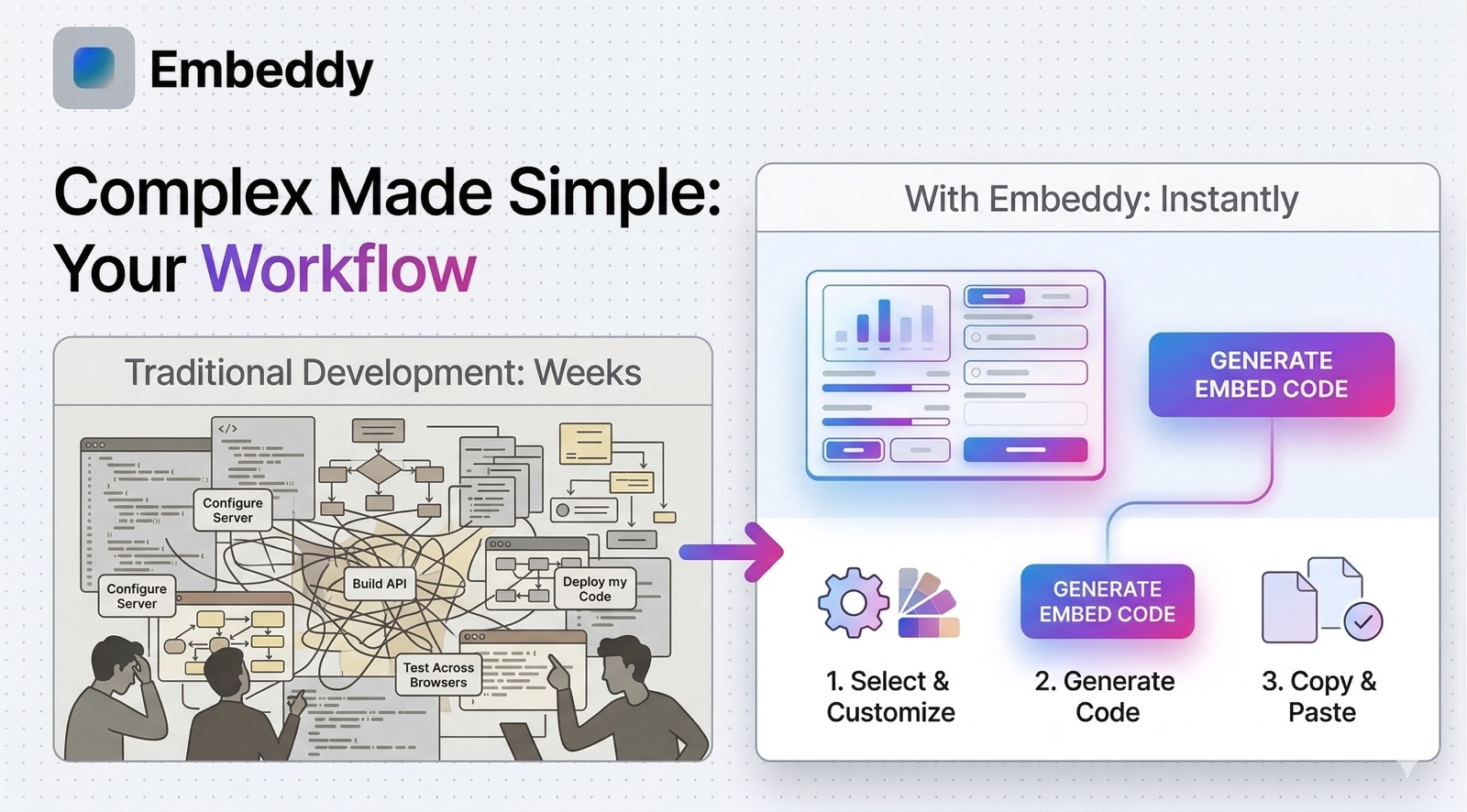
Instead of building features from scratch, embed a ready-made widget. What would take weeks of custom development can be deployed in minutes with the right widget. With AI-powered tools, you can go from idea to embedded widget in under a minute.
Cross-Platform Consistency
One widget can be embedded on your WordPress blog, your Shopify store, your Notion workspace, and your Wix landing page -- all with the same embed code. The experience stays consistent everywhere.
Reduced Technical Complexity
Widget providers handle hosting, scaling, security updates, and maintenance. The site owner pastes a code snippet and the widget works. No server management, no dependency updates, no infrastructure concerns.
Separation of Concerns
Widgets encapsulate their own logic, styling, and behavior. They do not interfere with the host site's codebase, and the host site does not break the widget. This clean separation makes both systems more maintainable.
Scalability and Reach
A single embeddable widget can serve thousands of websites simultaneously. For SaaS companies and tool builders, widgets offer a distribution channel that extends reach far beyond a standalone product.
Real-World Embeddable Widget Examples and Use Cases
To see the true power of embeddable widgets, consider these embeddable widget examples from different industries:
SaaS and Software Companies
Intercom and Drift embed live chat widgets on thousands of customer websites. Stripe provides embeddable payment widgets. Calendly offers scheduling widgets. These tools let SaaS companies put their product directly where customers need it.
E-Commerce and Retail
Product recommendation widgets, size calculators, reviews and ratings widgets, and checkout embeds help online stores increase conversions. A product configurator widget, for example, lets customers customize items directly on a product page.
Content Creators and Bloggers
Interactive calculators, quizzes, polls, and data visualizations make blog posts more engaging. A financial blogger might embed a mortgage calculator widget. A fitness blog might embed a calorie counter. Widgets turn passive reading into active experiences.
Internal Business Tools
Companies embed dashboards and reporting widgets inside Notion workspaces, internal wikis, and project management tools. Instead of switching between applications, teams get real-time data exactly where they work.
Education and Non-Profits
Interactive quizzes, donation collection widgets, event registration forms, and resource libraries can be embedded directly into educational websites and organizational pages, reducing friction and increasing engagement.
Embedding Methods Compared: Iframe vs JavaScript vs Web Components
Choosing the right embed method depends on your requirements for security, customization, and performance. Here is a comparison of the three main approaches to embedding a widget on a website:
| Feature | Iframe Widget | JavaScript Embed | Web Component |
|---|---|---|---|
| Isolation | Full (separate document) | None (shares DOM) | Partial (Shadow DOM) |
| Setup Difficulty | Easy | Moderate | Moderate |
| Styling Control | Limited (widget controls) | Full (can use host CSS) | Scoped (CSS variables) |
| Security | Strongest (sandbox) | Requires trust | Good (encapsulated) |
| Responsiveness | Needs resize handling | Native | Native |
| SEO Impact | Content not indexed | Content can be indexed | Limited indexing |
| Best For | Untrusted environments, simple embeds | Deep integration, SPA apps | Modern apps, design systems |
For most use cases, iframe widgets offer the simplest and most secure path to embedding. This is why the iframe remains the most widely used embed method across platforms like WordPress, Notion, and Shopify. Embeddy.ai generates iframe-based embed codes that work across 50+ platforms out of the box.
How to Create Embeddable Widgets in 2026
There are three main approaches to creating embeddable widgets today, each suited to different skill levels and requirements:
1. Traditional Development (Code From Scratch)
Developers can build widgets using HTML, CSS, JavaScript, and a backend framework. This offers maximum control but requires significant expertise and time. You need to handle frontend rendering, backend APIs, database management, hosting, security, and the embed mechanism yourself. A single widget can take days or weeks to build, test, and deploy.
2. No-Code Widget Builders
Platforms like Typeform (for forms), Calendly (for scheduling), and Chatbot.com (for chat) let you build specific types of widgets through visual interfaces. These are great for narrow use cases but limit you to the features each platform offers. You cannot create a truly custom widget with a traditional no-code builder.
3. AI-Powered Widget Creation (The Modern Approach)
This is where the landscape shifted dramatically. AI-powered platforms like Embeddy.ai let you describe the widget you want in plain English, and the AI builds the entire thing -- frontend, backend, database, and embed code. This approach, sometimes called vibe coding, combines the flexibility of custom development with the speed of no-code tools.
Example: Creating a Widget with Embeddy.ai
- Go to the Embeddy dashboard and describe your widget in natural language (e.g., "Create a customer feedback form that collects ratings, comments, and email addresses, stores results in a database, and sends me email notifications").
- The AI generates a complete fullstack application with a database, API endpoints, and a polished user interface.
- Preview the widget, customize it with follow-up instructions if needed, and copy the embed code.
- Paste the embed code into your website, Notion page, WordPress post, Shopify store, or any of the 50+ supported platforms.
The entire process takes minutes, not weeks. And the result is a production-ready widget with a real database and backend -- not just a static form. Check our pricing plans to get started (free tier available).
Where Can You Embed Widgets? Platform Compatibility
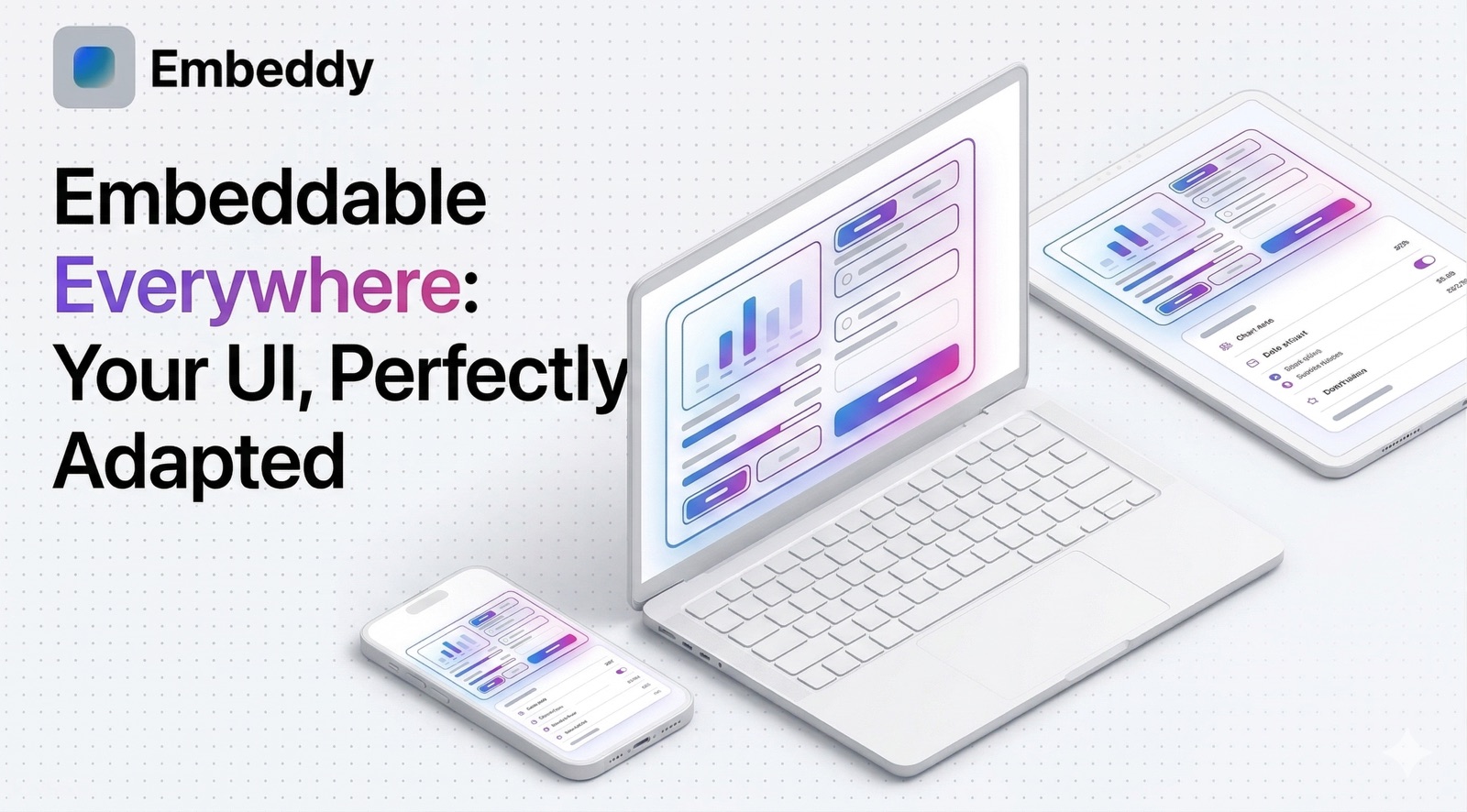
One of the core advantages of embeddable widgets is their portability. A well-built widget can be placed on virtually any platform that supports HTML or embed codes. Here is where you can embed widgets on websites and beyond:
The process of embedding is typically the same across all platforms: copy the embed code (usually an iframe or script snippet), navigate to the page editor on your platform, and paste the code into an HTML block, embed block, or custom code section. Most platforms have a dedicated "embed" or "custom HTML" option that makes this straightforward.
Best Practices for Embeddable Widgets
Whether you are building or choosing embeddable widgets, these best practices will ensure a positive experience for your users and your website:
Prioritize Performance
Widgets should load fast and not slow down the host page. Use lazy loading so the widget only loads when it scrolls into view. Minimize JavaScript bundle sizes. Avoid blocking the host page's rendering pipeline. A good widget adds under 100ms to page load time.
Design for Responsiveness
Your widget will appear in containers of all sizes -- from a narrow sidebar on desktop to a full-width mobile screen. Build fluid layouts that adapt gracefully. Test at multiple breakpoints and on real devices.
Ensure Accessibility
Follow WCAG guidelines: use semantic HTML, provide keyboard navigation, include proper ARIA labels, maintain sufficient color contrast, and test with screen readers. Accessible widgets serve a wider audience and improve SEO signals.
Secure Your Widget
If your widget handles user data, encrypt transmissions with HTTPS, validate all inputs, implement CORS policies, and follow data protection regulations (GDPR, CCPA). Iframe sandboxing provides a strong security boundary.
Version and Update Carefully
Since your widget may be deployed on hundreds of sites, breaking changes are costly. Use semantic versioning, maintain backward compatibility, and provide migration guides when updating. The embed code URL should support version pinning.
The Future of Embeddable Widgets
The embeddable widget ecosystem is evolving rapidly. Several trends are shaping where widgets are heading in 2026 and beyond:
AI-generated widgets are the biggest shift. Instead of choosing from pre-built templates, users can describe exactly what they need and have AI generate a custom widget in seconds. This is the concept of "software as content" -- creating and embedding functional applications as easily as publishing a blog post.
Fullstack widgets are replacing simple frontend embeds. Modern widgets include their own databases, authentication systems, payment processing, and API layers. They are complete applications, not just UI snippets. This means a single embed code can deliver functionality that previously required an entire SaaS subscription.
Widget marketplaces are emerging as the new app stores. Instead of downloading apps to your phone, you embed them on your website. Browse, select, and deploy functional software components directly into your digital presence. Platforms like Embeddy are building this future, creating an ecosystem where anyone can build, share, and monetize embeddable widgets.
Edge computing and WebAssembly are making widgets faster and more capable. Widgets that perform heavy computation -- image processing, data analysis, machine learning inference -- can now run performantly in the browser, reducing round trips to the server and improving user experience.
Frequently Asked Questions About Embeddable Widgets
What is an embeddable widget?
An embeddable widget is a self-contained piece of software designed to be inserted into a website, application, or digital platform. It provides specific functionality -- such as a chat interface, booking form, calculator, or dashboard -- without the host needing to build that feature from scratch. The widget is loaded via an embed code (iframe, script tag, or web component) and runs independently within the host environment.
How do embeddable widgets work?
Embeddable widgets work through three main technologies: iframe embeds that load a separate HTML document inside a frame element, JavaScript embeds that inject code directly into the host page using script tags, and web component embeds that use custom HTML elements with Shadow DOM encapsulation. Each approach loads the widget code, renders the interface, and communicates with backend servers as needed.
What are the most common types of embeddable widgets?
The most common types include: form and survey widgets, e-commerce widgets (product displays, payment forms), communication widgets (live chat, chatbots), content and media widgets (video players, galleries), analytics and dashboard widgets, booking and scheduling widgets, calculator and tool widgets, and authentication widgets.
Can I create embeddable widgets without coding?
Yes. Modern AI-powered platforms like Embeddy.ai allow you to create fully functional embeddable widgets by simply describing what you want in natural language. These tools generate complete fullstack applications -- including databases, APIs, and user interfaces -- that can be embedded on 50+ platforms using a simple embed code.
Where can I embed widgets?
Embeddable widgets can be placed on virtually any platform that supports HTML or embed codes, including WordPress, Shopify, Wix, Squarespace, Notion, Webflow, Google Sites, custom HTML websites, React/Angular/Vue applications, Confluence, Ghost, Framer, and many more.
What is the difference between an iframe widget and a JavaScript widget?
An iframe widget loads inside an isolated frame element, keeping it completely separate from the host page -- which provides strong security but limits interaction with the host. A JavaScript widget injects code directly into the host page, allowing deeper integration and seamless styling, but requires more trust. Iframes are simpler to implement and more universally supported, while JavaScript embeds offer more flexibility for advanced integrations.
Conclusion
Embeddable widgets are one of the most practical and powerful patterns in modern web development. They let businesses add complex functionality to any digital platform without building it from scratch. They allow developers to distribute their tools across thousands of sites. And with AI-powered creation tools, they give non-technical users the ability to build custom software for the first time.
Whether you need a simple contact form or a complex interactive dashboard with a database backend, embeddable widgets offer a clean, scalable, and maintainable solution. The technology is mature, the ecosystem is thriving, and the barrier to entry has never been lower.
If you are ready to create your own embeddable widgets, start by exploring what is possible. Describe your idea, see it come to life, and embed it wherever your users are.